Private meeting copilot

Real-time AI help,
invisible on the call.

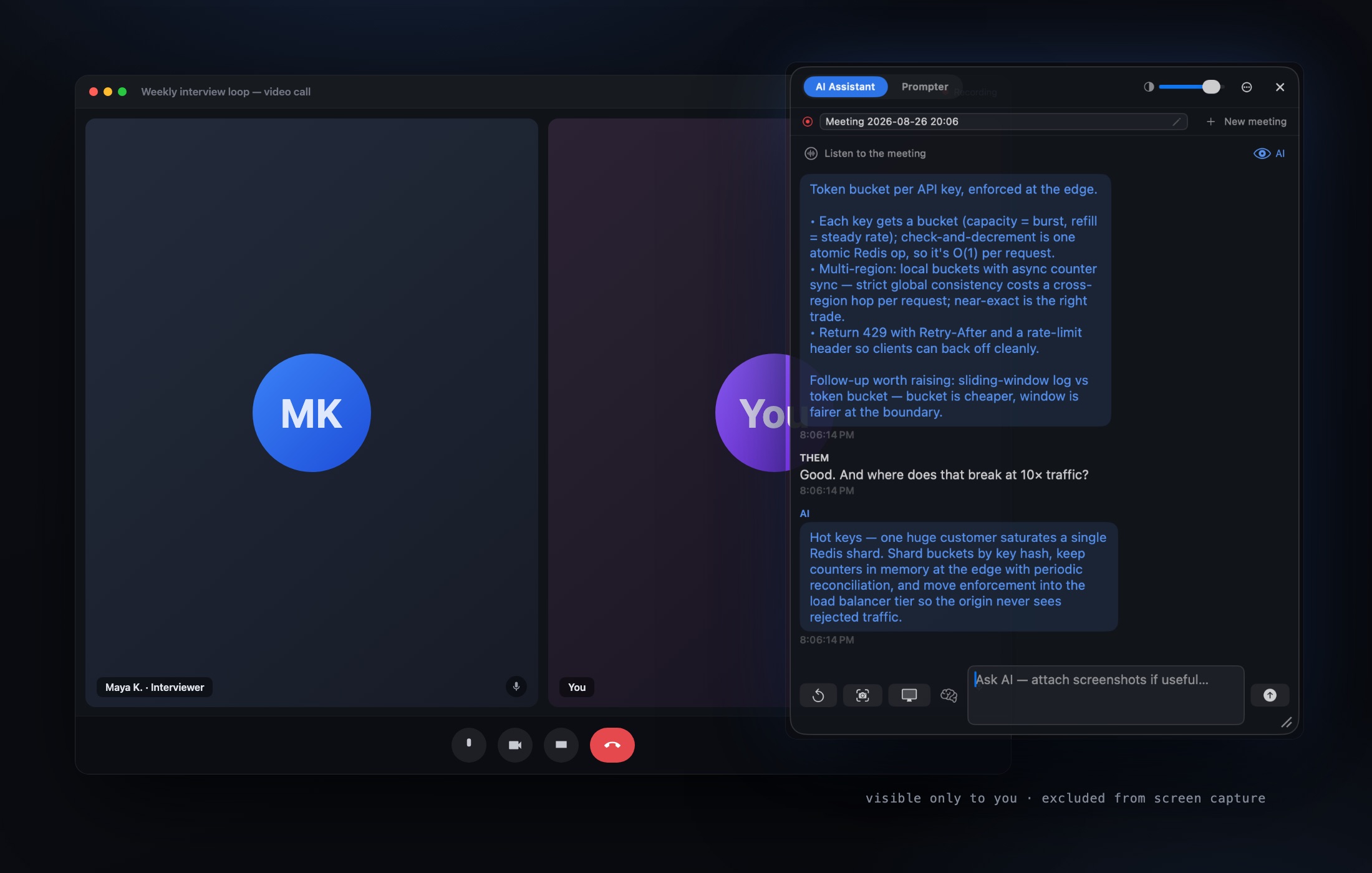
A private overlay that floats on your screen — hidden from screen sharing — so you can read your talking points, screenshot the shared screen, and get instant AI answers only you can see.
Hidden from Zoom · Teams · Meet · Webex
A video call with the Prompta 365 overlay floating on top — visible only to you, excluded from screen capture
Excluded from screen capture at the OS levelMeetings stay on your MacWorks with any call app
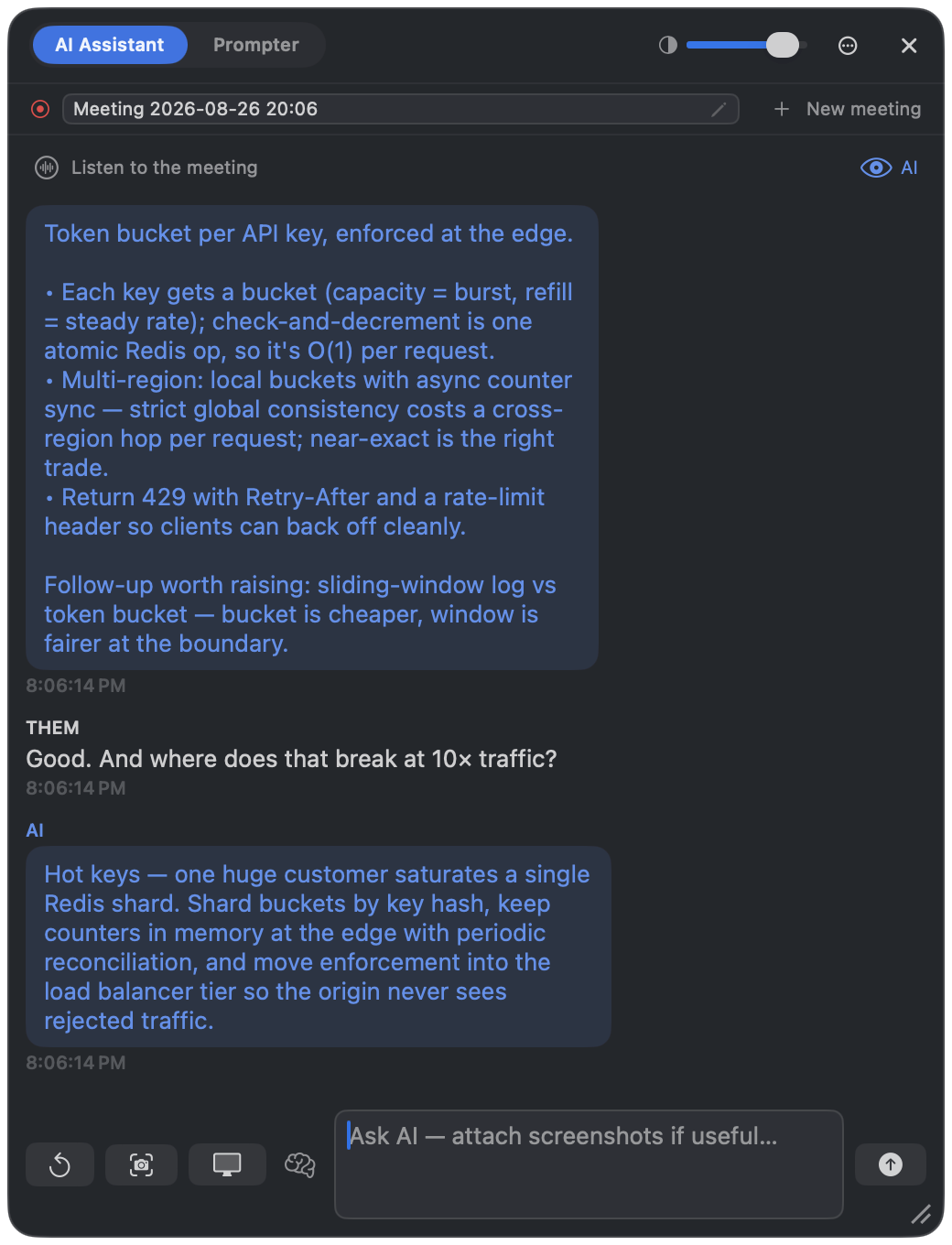
The Prompta 365 AI Assistant: live captions of the conversation with streaming AI answers
AI Assistant

The question lands. The answer is already there.

Prompta 365 listens to the meeting and captions both sides. When a question comes, the answer streams into the overlay in real time — structured, specific, and ready to read.
  • Live captions for you and them, speaker-separated
  • Auto-ask on questions, or ask by hotkey
  • Screenshot a region of the shared screen and ask about it
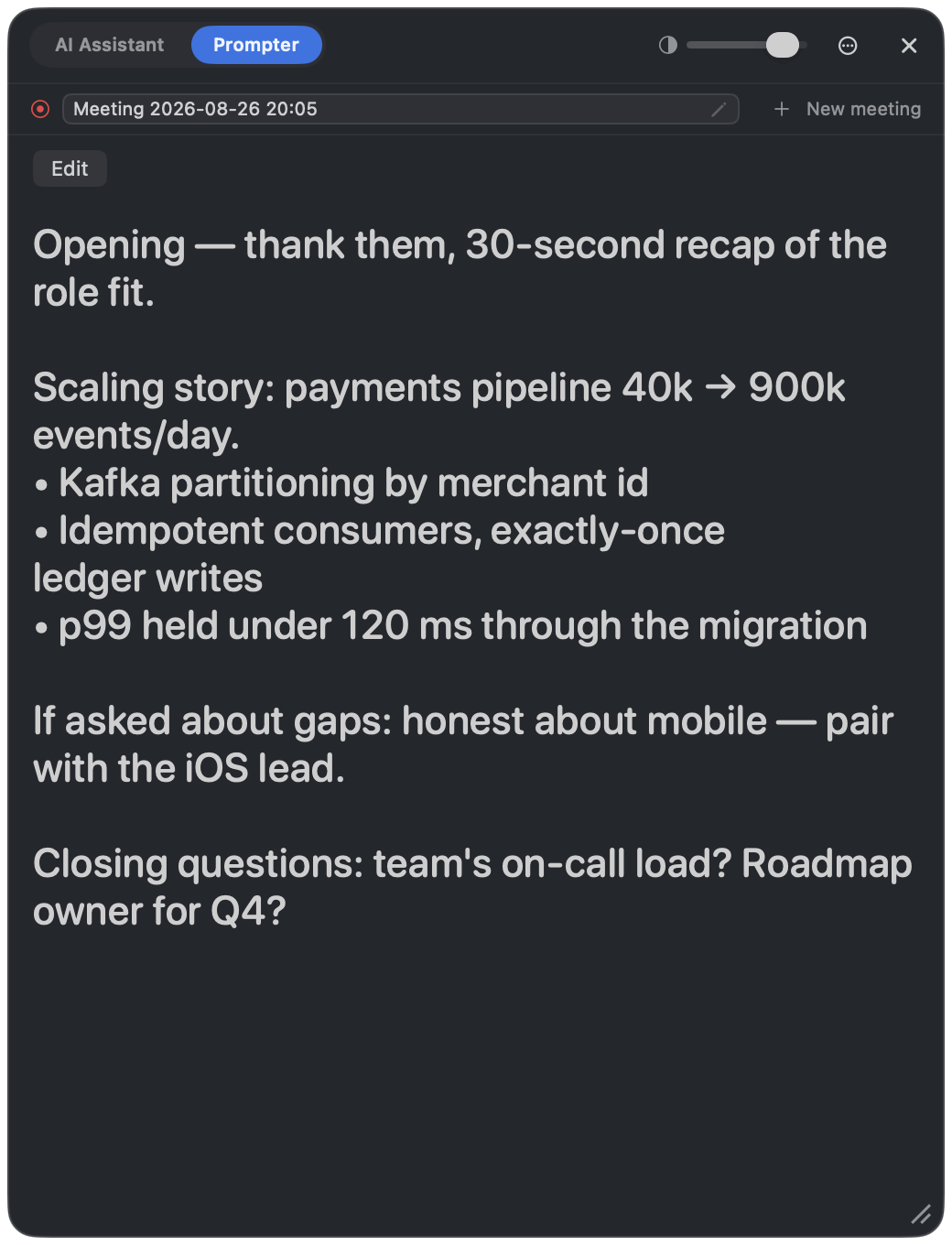
The Prompta 365 Prompter: your own talking points in a large readable teleprompter
Prompter

Your notes, floating where only you can see them.

A teleprompter for your own preparation — openings, numbers, stories, closing questions. Big type you can read at a glance without breaking eye contact.

  • One hover or click flips between Prompter and Assistant
  • Adjustable type size and opacity
  • Saved per meeting, next to its transcript
What the room sees during screen share: just the call — the overlay never appears
Stealth

Share your screen. They see the call. You see everything.

The overlay is excluded from screen capture at the OS level — screen share, recordings, and screenshots show a clean screen. When you must hand over the whole display, the phone companion mirrors every answer and can read it in your ear.

  • Invisible to screen share and recording in any call app
  • Phone companion pairs by QR — answers mirror instantly
  • Boss key hides everything in one keystroke

How it works

Three steps, all inside the same overlay.

01

Listen or screenshot

Capture the question — from the audio, or a dragged region of the shared screen.

02

Ask

Send it to the AI, or pull up your own talking points.

03

Read — unseen

The answer streams into an overlay excluded from every call.

Made for every kind of meeting.

Online interviews

Get the approach, the complexity, and the follow-up — without breaking eye contact.

Presentations

Pull the number, the example, or the rebuttal mid-slide.

Sales calls

Objection handling and specs on hand while you keep the conversation going.

Live Q&A

A second brain that never loses the thread.

Your meeting archive stays on your Mac. We process each request to answer it — we don't store your meeting content.

Compare Prompta 365

Simple pricing

Two plans, everything included — the assistant, the prompter, the phone companion.

Monthly

$26.99 / month

cancel anytime

  • AI Assistant with live captions
  • Screenshot-to-answer and auto-ask
  • Prompter and meeting archive
  • Phone companion + read-aloud
Get Prompta 365
BEST VALUE

Yearly

$119.99 / year

≈ $10 a month — 63% less than monthly

  • Everything in Monthly
  • One payment covers the whole year
  • Priority access to new features
  • Cancel anytime — access runs to term
Get Prompta 365

Stay present. Get the answers anyway.

Set up in two minutes. Works with the call app you already use.

Get Prompta 365